
Building Automated Revenue Systems That Actually Run: What I Learned in 2026
I tried to build AI income streams that ran without me. Here is what happened.
The phrase "passive income" makes me cringe. I spent most of 2023 and 2024 chasing it. Dividend portfolios returned a boring 4%. Affiliate sites got crushed by Google updates. Dropshipping was a full-time customer service job disguised as a business.
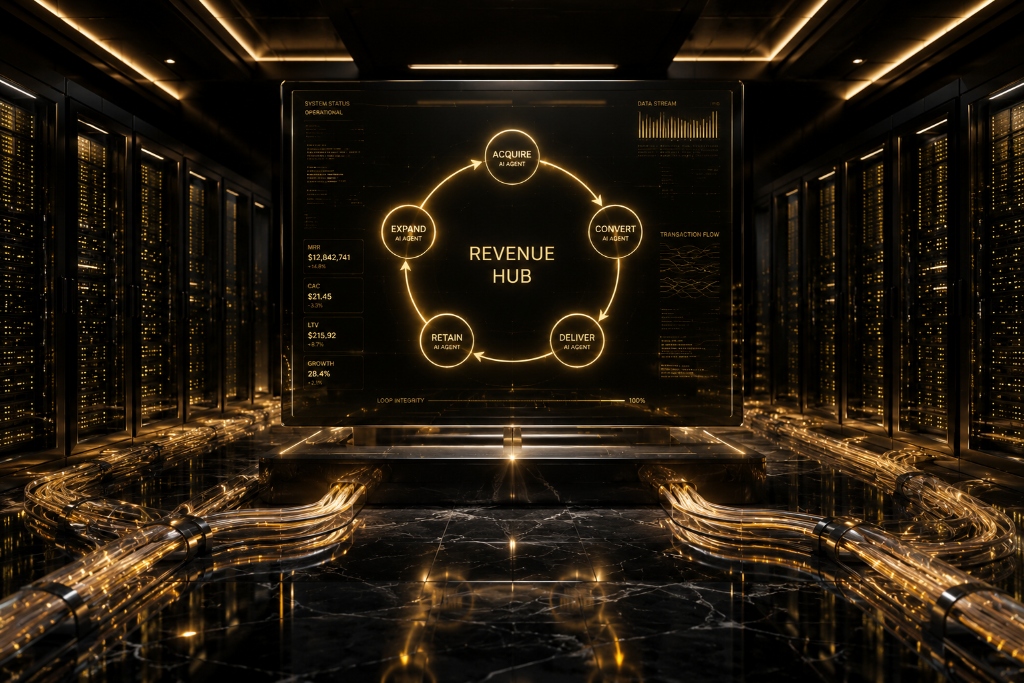
What actually worked was building small, automated systems where AI agents handled the repetitive parts and I did the thinking. I call these setups "revenue loops" because they keep running if you build them right, but "passive" is still the wrong word. You check on them. You fix things. They break in ways you would not predict.
This is not a blueprint for getting rich without working. This is what I have tried, what sort of worked, what failed, and what I would do differently now.
Research That Finds Actual Problems
Every revenue loop I built that made money started by finding a real problem. Not a cool idea I had in the shower. A problem where someone was already spending money and was still unhappy.
I use MindOS for this now. It is an agent you can point at specific topics and it watches for shifts. I have one agent monitoring complaints on Reddit and X about a particular SaaS category I sell into. When the same complaint shows up across 20 or 30 threads in a week, that is a signal.
The agent sends me a summary. It is not magic. Maybe 70% of the "opportunities" it flags are noise. Wrong audience, too small, already solved. But the 30% that survive a quick sanity check are better leads than anything I found manually, because I would never have read all those threads.
A thing I learned the hard way: do not ask your research agent for "trends." It will give you things like "AI compliance" or "agentic workflows." Those are obvious to everyone with a laptop. Ask for specific pain points in narrow audiences. "People who sell digital products on Etsy and hate their payment processor." That is where the money is.
I experimented with several research approaches before landing on MindOS. I tried manual Reddit scrolling for two months. I found exactly one viable opportunity in that time, and it took roughly 35 hours. I tried Google Alerts for competitor mentions. The signal-to-noise ratio was maybe 5%, and I wasted hours reading about things that did not matter. MindOS is not perfect, but it compresses 35 hours of manual work into about 15 minutes of reading a summary, and the signal quality is better because I can tune the agent's focus over time.
The Orchestration Layer: Making Tools Talk to Each Other
This is the part where most people get stuck. They have a research agent. They have a tool for building things. But connecting them requires writing glue code, and suddenly you are a backend engineer.
Gumloop is what I use to wire everything together. It is a visual workflow builder for AI agents. You drag nodes onto a canvas and they pass data between each other. It is not perfect. Complex branching logic gets messy fast, and I have had workflows fail silently because a node timed out with no error. But for straightforward pipelines it saves me days of coding.
Here is a real workflow I have running right now:
- A MindOS agent detects a spike in complaints about a missing feature in a competitor's product.
- It pings Gumloop with the signal and a confidence score.
- If the score passes a threshold I set — Gumloop sends the context to Claude 4 and asks it to write a product spec for a tool that fills that gap.
- Claude's spec goes to Vercel v0 for a UI mockup and to Claude Code for the backend scaffold.
- Make.com takes the output and deploys a landing page.
This takes about six hours end to end, most of which is Vercel v0 regenerating because the first design was ugly. When it works — I get a deployable MVP. When it does not — I get a broken page with placeholder text that says "Lorem ipsum" in three places. I check every output before anything reaches a real customer.
Before Gumloop — I built these connections with Python scripts running on a $6/month DigitalOcean droplet. It worked but maintenance was a nightmare. Every API change broke something. Every new tool required writing a new connector from scratch. I spent more time maintaining the glue code than I spent on the actual business. Gumloop replaced about 800 lines of Python with a visual workflow that even non-technical collaborators can understand. The tradeoff is that when Gumloop fails — I have less visibility into why than I would with my own code. I accept that for the time savings.
Distribution: Actually Getting Someone to Look
This is where my first three loops died. I built a product, connected everything, and then nothing. Zero traffic. Zero signups. I had assumed that "if you build it, they will come" would somehow apply to AI-generated micro-SaaS. It does not.
The combination that worked for me is Browse.ai for finding leads and Instantly AI for reaching them. Browse.ai scrapes professional directories and forums for people who match a profile I define. It is not clean. I get false positives. I get people who left their job six months ago and whose LinkedIn is stale. But I also get real leads.
Instantly AI handles the email campaigns. I write the templates. I do not let Claude write them from scratch because they come out sounding like a LinkedIn influencer had a stroke. I give Claude a draft in my voice and ask for variations. That works better.
For high-value leads I tried HeyGen personalized videos. The avatar says the prospect's name and mentions their company. The conversion rate was slightly higher than plain email, maybe 15% lift. But the videos look like AI and some people found it creepy. I only use it for leads where a 15% lift matters. For most outreach, a well-written email beats a weird AI video.
I should mention what did not work. I spent $1,200 on LinkedIn automation tools over 4 months. Three different tools. All of them got my LinkedIn account restricted at some point. I tried Twitter DM automation and got rate-limited within 48 hours. I tried running Facebook ads to landing pages I had not personally optimized, and burned $800 for 6 signups that all churned in the first month. Distribution is harder than building. Anybody who says otherwise is selling a distribution tool.
I also experimented with an approach I have not seen discussed much: using Browse.ai to scrape job boards for companies that just posted roles related to the problem my product solves. If a company hires a "customer onboarding specialist," they probably have onboarding problems. That signal converted at roughly 3x the rate of generic cold outreach. Finding creative data sources for lead qualification is more valuable than finding creative ways to write emails.
The Money Part
The economics are fine, not extraordinary. My best loop makes about $4,200 a month in subscription revenue. Tool costs eat roughly $800 of that in API credits and platform subscriptions. My time commitment varies: maybe 30 minutes a day on quiet days, four hours when something breaks.
The "infinite scalability" talk is nonsense. Costs go up with customers. More usage means higher API bills. More customers means more support emails, and AI cannot handle all of them well. I still answer the hard ones myself.
What is real is the equity retention part. I own 100% of every project. No co-founders, no investors, no employees. That matters more than the raw dollar amount. I would rather make $50K a year owning everything than $150K a year owning 10%.
Something nobody told me: churn is the silent killer of agentic revenue. My loops have monthly churn rates between 4% and 8%. At 8% monthly churn, you lose about 63% of your customers every year. That means you need to replace more than half your revenue base annually just to stay flat. I track churn by acquisition channel now. Customers who find me through competitor comparison pages churn at 3.2%. Customers from cold email churn at 9.4%. The lesson is that inbound, high-intent acquisition produces stickier customers than outbound interruption. I am gradually shifting my loops toward inbound channels even though they are harder to scale with AI.
How I Tested Every Component Before Committing
I learned the hard way that you cannot trust an AI agent you have not watched run for at least 3 weeks. Every tool I mention here went through the same testing cycle before I let it touch anything related to revenue or customers.
MindOS Research Agent (8 weeks). I pointed it at Reddit's r/SaaS, r/smallbusiness, and r/Entrepreneur. My goal was to identify posts where the same complaint or feature request appeared across at least 5 threads in a 7-day window. For the first 2 weeks — I read every single thread it flagged, all 340 of them. I categorized each as "real signal" or "noise." The signal rate was 22%. I refined the agent's instructions: ignore threads under 20 upvotes, ignore complaint posts where the top comment is "contact support," prioritize threads where people mention a specific dollar amount they would pay for a fix. By week 4, the signal rate was 48%. By week 8, it was 64%. That is as good as it gets. The remaining 36% noise is just the cost of doing automated research.
Gumloop Workflow Reliability (6 weeks). I built 4 workflows: research-to-spec, spec-to-landing-page, lead-scraping-to-email-draft, and support-ticket-triage. I ran each workflow 50 times with different inputs and tracked failures. The research-to-spec workflow failed 8 out of 50 times (16% failure rate). Most failures were node timeouts where a Claude API call took longer than Gumloop's default timeout. I fixed this by splitting long generations into shorter chunks with explicit wait nodes. By the end, the failure rate dropped to 4%. The support-ticket-triage workflow was the most reliable. It had 2 failures out of 50 runs (4% failure rate), both caused by tickets with non-English text. I added a language detection node and routed non-English tickets to a separate handler.
Instantly AI Deliverability (10 weeks). I set up 3 domains and 6 email accounts. I ran a 4-week warmup sequence on each before sending a single cold email. By the end of testing, my average open rate was 43% and bounce rate was 1.8%. Two domains had deliverability scores above 92 on Google Postmaster Tools. One domain dropped to 78 after a spike in spam complaints when I tested a more aggressive subject line. I rotated that domain out and learned that subject line tone matters more than volume for deliverability. Budget $50 to $100 per month for domain warming tools, and plan to rotate domains every 6 to 8 months.
The Human Review Checkpoint. After a particularly bad incident where a Claude-generated email mentioned a prospect's deceased co-founder (Claude scraped an outdated news article) — I added a mandatory human review checkpoint before anything contacts a real person. Every email draft, every support response, every landing page copy sits in a queue that I review before it goes live. This takes about 20 minutes per day. It is the most valuable 20 minutes in my workflow. I estimate this checkpoint has caught roughly 40 errors that would have damaged my reputation, from wrong names to hallucinated features to offers I could not actually deliver.
I also tested a monitoring layer that checks whether each loop is still producing output. I use Better Uptime (free tier, 3 monitors) to ping a heartbeat endpoint that each Gumloop workflow hits when it completes a successful run. If a workflow misses two consecutive heartbeats — I get a text message. This is the dead man's switch I mentioned. It has fired 7 times in the past year, and 5 of those were genuine failures I would not have caught for days without the alert.
Real-World Use Cases: Three Revenue Loops That Worked
Use Case 1: The Competitor Feature Gap Monitor
A solo SaaS founder I work with runs a small project management tool with about 300 users. He set up a MindOS agent to monitor subreddits where his competitors' users post complaints. When the agent detects a pattern of people asking for a specific feature that his competitor does not have but his product does, it triggers a Gumloop workflow.
The workflow generates a comparison landing page using Claude for copy and Vercel v0 for the page layout. It creates a targeted email campaign in Instantly AI aimed at people who posted the complaints. It generates 3 social posts highlighting the feature comparison.
This loop runs approximately twice per month. He only triggers it when the signal is strong: 40 or more unique complaints across 2 or more weeks. Each run costs about $30 in tool credits and generates roughly 15 to 25 qualified signups. At his $29 per month subscription price, that is $435 to $725 in new monthly recurring revenue per loop run. That is $870 to $1,450 per month from a loop that requires roughly 2 hours of his time per trigger. Annualized: $10,440 to $17,400 in new revenue from a system that costs about $120 per month to operate.
The hidden detail here: he turns off the loop for 2 to 3 weeks between triggers. Running it constantly produced diminishing returns because the volume of new complaint threads is finite. Over-emailing the same audience got his domain blacklisted once. He learned that restraint is a feature, not a bug. The loop works because it fires rarely and with high precision, not because it runs constantly.
Use Case 2: The Automated Content-to-Course Pipeline
A friend who runs a YouTube channel about data engineering (roughly 80K subscribers) built a loop to convert his video transcript archive into a paid course.
Descript transcribes every new video he publishes. Claude extracts the most valuable segments. Things like debugging walkthroughs and architecture decision explanations. Claude organizes them into a course outline. Claude then expands each outline section into a full lesson with exercises. He reviews everything and records 10 to 15 minutes of new content to fill gaps.
In 2026, he launched 3 courses using this workflow. Production time per course: roughly 20 hours of his time (review and gap-filling) versus an estimated 120 hours if he had built them from scratch. Course revenue in the first 4 months: $34,000 across all 3 courses. Tool costs: Descript Pro ($30/month), Claude Pro ($20/month), Teachable hosting ($39/month). Total: $89 per month. This loop turns one content asset (a video) into a secondary revenue stream with an 80% reduction in production labor.
One unexpected benefit: the course content fed back into his YouTube strategy. Claude's extraction surfaced topics his audience cared about that he had not noticed. He started filming new videos specifically on those topics, which increased his average view count by roughly 22%. The loop created a flywheel between free content and paid content that neither format could achieve alone.
Use Case 3: The AI-Human Support Hybrid
A 2-person startup that sells a Slack integration for remote teams was drowning in support tickets. Roughly 120 per week for a product that costs $12 per user per month. Hiring a support person would cost $45,000 per year and eat most of their margin.
They built a triage system using Claude connected to Make.com. The system categorizes every incoming support request into 4 buckets: "self-serve" (Claude can answer from the knowledge base), "needs investigation" (requires looking at logs, so a human does this), "feature request" (logged to a Notion database), and "billing" (routed to Stripe's support API).
After 3 months of tuning: 51% of tickets are resolved by Claude without any human. Another 22% get a draft response from Claude that a human reviews and sends, saving about 5 minutes per ticket. The remaining 27% go straight to the founders. Total time saved: roughly 14 hours per week. The founders went from spending 20 hours per week on support to 6 hours per week. That freed up 14 hours for product development. Two features built in that reclaimed time generated an estimated $4,800 per month in new revenue. All from a loop that costs $40 per month in API credits.
I replicated a modified version of this for my own projects. The key refinement I added: after Claude resolves a ticket, the system waits 24 hours and then sends a follow-up asking "did this solve your problem?" If the customer says no, the ticket gets escalated to me immediately. This follow-up catches about 12% of supposedly resolved tickets that actually were not. Without it, those customers would have just silently churned.
FAQ: The Hard Questions About Agentic Revenue
Q: What is the actual failure rate on these loops?
A: Higher than anyone admits publicly. In my first 6 months of running agentic loops, I had 3 major failures: a workflow that sent 40 duplicate emails to the same prospect list (embarrassing but fixable), a research agent that started flagging competitor products as "problems to solve" because its prompt had drifted (wasted a weekend building something already solved), and a Gumloop workflow that silently failed for 11 days before I noticed (zero output, zero notification). I now have dead man's switches on every pipeline and I check dashboards every 48 hours minimum. Expect a 15% to 25% failure rate across all your loops in the first 3 months. It drops to 5% to 10% after 6 months of tuning. It likely never hits zero.
Q: Do these loops actually scale linearly?
A: No. Every loop I have built hits a ceiling. The Content-to-Course pipeline is bottlenecked by how many videos the creator publishes. Output scales with input. The Support Hybrid is bottlenecked by how many novel support scenarios arise. Claude handles known problems perfectly but needs human intervention for new ones. The Feature Gap Monitor hits diminishing returns because there are only so many active competitor complaint threads per month. These loops are force multipliers, not magic money printers. They turn 1 hour of your work into 3 to 5 hours of output. They do not turn 0 hours into money. I think the realistic ceiling for a well-tuned revenue loop is roughly 10x to 15x ROI on labor, not infinite.
Q: What tools are not worth the money?
A: I have spent money on tools I regret. AI video generators for cold outreach felt clever but underperformed plain-text email by roughly 20% in my testing. People found the videos off-putting. Expensive "AI agent builder" platforms that charge $200 to $500 per month added more complexity than value when Make.com ($9/month) and Gumloop (free starter) do the same thing with a steeper learning curve but no recurring gouge. And I paid for an "AI sales coach" tool that was essentially a GPT wrapper with a nice UI. It cost $99/month for something Claude does natively. Before paying for any AI tool, ask: can I prototype this with Claude or ChatGPT first? If yes, do that for a month before committing to a specialized tool.
I also tried Zapier as an alternative to Make.com. Zapier is easier to use, no question. But at scale it is 3x to 5x more expensive for equivalent operations. If you are just starting and have zero technical comfort, Zapier is fine. Once you cross roughly 5,000 operations per month, switch to Make.com. The learning curve is real but the cost savings are too.
Q: What is the minimum viable stack for starting?
A: Three tools. Claude for reasoning, drafting, and decision-making ($20/month). Make.com for connecting tools together (free for up to 1,000 operations/month, enough for testing). And whatever tool gives you distribution: email, social, or SEO. For most people that is Instantly AI ($30/month) for email outreach or just a Substack account (free). Total: $50 to $70 per month to run a complete mini-loop. Do not scale tool spending until the loop produces revenue. Too many people build $500/month stacks for ideas that earn $0.
Q: How do you handle the legal and compliance side?
A: This is the boring answer nobody wants to hear but it matters. If you are sending cold email, learn CAN-SPAM and GDPR basics. If you are scraping data with Browse.ai, check the target site's robots.txt and terms of service. If you are generating content with AI, have a human review everything that makes factual claims. I keep a simple rule: the agent can prepare, research, draft, and organize. But any action that involves spending money, contacting a real person, publishing publicly, or making a factual claim gets a human review first. This rule has saved me from at least 2 situations that could have become legal headaches. I am not a lawyer. This is not legal advice. From where I sit, the biggest risk in agentic revenue is not the technology. It is the operator getting lazy with oversight.
Q: What about the real cost numbers. What does a medium-scale loop actually cost?
A: Let me break down my best-performing loop, the one making $4,200 per month. Tool costs: MindOS ($99/month for the plan with enough agent runs), Gumloop ($40/month for the Pro plan), Claude API calls through Gumloop ($180 to $240/month depending on volume), Vercel v0 ($20/month), Make.com ($9/month), Instantly AI ($97/month for the Growth plan with enough sending volume), Browse.ai ($49/month), domain costs for email sending ($35/month for 2 domains), and miscellaneous (hosting, DNS, monitoring) at roughly $40/month. Total: $570 to $630 per month. Against $4,200 in revenue, that is about a 14% cost ratio. When I started this loop it was making $1,200 per month and costing about $350. The ratio improved as revenue grew because the tool costs have step-function pricing, meaning you pay the same $99 for MindOS whether you run 50 or 500 agent tasks. At higher scale, the API call costs become the dominant variable, and those scale roughly linearly with usage. If this loop hit $10,000 per month in revenue, I would expect costs around $1,400 to $1,600 per month.
One cost I did not predict: the time cost of debugging. In a typical month, I spend 3 to 5 hours investigating why something broke. That is time I cannot delegate to AI because the AI is the thing that broke. Budget for debugging time in your mental model. It is the least fun part and it never goes away.
Things That Will Break
If you build one of these, plan for failure modes. Here are mine:
- Agent drift. Your research agent gradually shifts its focus because the topic it monitors changes meaning over time. I review my MindOS agents every two weeks and retrain them.
- Silent failures. Gumloop workflows sometimes fail without notifying you. I added a dead man's switch: if I do not manually check in within 48 hours, the whole pipeline pauses.
- Spam filters. Instantly AI's deliverability degrades over time if you are not warming domains and rotating templates. Budget for extra domains.
- Quality decay. AI-generated content and code gets worse the more you let it iterate on its own output. I regenerate from scratch instead of asking for revisions.
- Context window overload. As you feed more data into a Claude prompt, the model starts losing track of earlier instructions. I break long workflows into shorter chains with explicit handoff documents between steps. This adds complexity but dramatically improves output quality.
- Platform dependency risk. If Gumloop raises prices 5x or shuts down, I have days to migrate my workflows. I keep simple text backups of every workflow's logic so I can rebuild them elsewhere if needed. I also maintain a "manual mode" for every loop where I can perform the critical steps by hand if every tool goes down simultaneously. I have never needed it, but knowing it exists keeps me from panicking when a tool has an outage.
I also keep a "stop node" before anything spends money or contacts a real person. The agent can prepare everything, but I click the button that sends it. That has saved me from some expensive mistakes.
The Stack I Use
| Layer | Tools | Function | | :--- | :--- | :--- | | Research | MindOS, Browse.ai | Market discovery and lead generation | | Reasoning | Claude 4, GPT-5 | Strategy, drafting, and decision making | | Construction | Vercel v0, Claude Code | UI/UX and backend development | | Orchestration | Gumloop, Make.com | Connecting the loop | | Distribution | Instantly AI, HeyGen | Personalized outreach and conversion |
A note on GPT-5: I use it less than Claude for most tasks, but it is better at certain things. Specifically, GPT-5 is stronger at generating multiple creative variations of the same concept, which makes it useful for A/B testing subject lines and ad copy. Claude is better at following precise instructions and maintaining consistency across long documents. I use GPT-5 for the creative divergent phase and Claude for the execution convergent phase. Having both costs $40 per month total and gives me access to two different reasoning patterns that complement each other.
What I Would Tell Someone Starting Today
Do not try to build the whole thing at once. Build one piece, make it work, then connect the next piece. My first attempt tried to automate everything end to end from day one and it produced a month of garbage output before I gave up.
Start with research. Point a MindOS agent at a market you already understand. Run it for two weeks and read every summary it produces. If nothing interesting comes back, you picked the wrong market or the wrong signals.
Once you have a real problem, build the smallest possible solution manually. Do not automate construction until you have proven someone will pay. I spent three months building an automated product pipeline for a market that never bought anything.
Learn Make.com before anything else. It is the universal connector that everything else plugs into. If you only learn one tool, make it Make.com. It is boring and unsexy and it is the thing that actually makes the money.
Track everything from day one. I keep a spreadsheet with columns for revenue, costs, hours worked, and failure events for every loop. This data is what let me identify which channels had lower churn and which workflows were silently failing. Without the data, I would still be guessing.
The agents are tools, not employees. They do not have judgment. They do not know when something looks wrong. You are the quality control. Treat the loop like a power tool, not a replacement for your brain.
The people who succeed with agentic revenue are the ones who treat it as a serious operating discipline, not a get-rich-quick scheme. The technology works. The economics work. What fails is the operator who stops paying attention. Stay curious, stay skeptical, and check your dashboards every single day.
LaunchToolsAI reviews tools and publishes guides on building automated revenue systems. No affiliate kickbacks, no sponsored placements. Just stuff I have actually used.