
CrewAI Review 2026: Is Multi-Agent Orchestration Worth the Hype?
Quick Verdict: CrewAI is the most practical multi-agent framework available in 2026. It does one thing and does it well: you define AI agents with specific roles, give them tasks, and they collaborate to produce results. The open-source version is genuinely free (MIT license), and the enterprise platform has real adoption from companies like DocuSign and PwC. That said, it is a Python framework first — if you cannot code, the visual editor helps but will not replace engineering skill. For teams already building with LLMs, CrewAI replaces a lot of custom orchestration code and LangChain boilerplate. 4.5/5.
Comparison Table: CrewAI vs LangChain vs AutoGen
| Feature | CrewAI | LangChain | AutoGen (Microsoft) | |---------|--------|-----------|---------------------| | Approach | Role-based task orchestration | General LLM toolkit | Conversational agent chat | | Language | Python | Python, JS | Python | | License | MIT | MIT | MIT (CC-BY-4.0 for some) | | Dependencies | Zero external agent frameworks | 500+ integrations | Python, Docker | | Learning curve | Low (3 APIs: Agent, Task, Crew) | High (chains, LCEL, graphs) | Medium (conversation patterns) | | Event-driven flows | Yes (CrewAI Flows) | Yes (LangGraph) | No | | Visual editor | Yes (AMP Cloud) | No (LangSmith is monitoring) | No (AutoGen Studio is basic) | | Enterprise SSO/SOC2 | Yes (AMP) | Yes (LangSmith Enterprise) | No | | GitHub stars | 25K+ | 100K+ | 40K+ | | Free tier | 50 executions/month + OSS | OSS only | OSS only |
CrewAI wins on simplicity and focus. LangChain wins on ecosystem breadth. AutoGen sits somewhere in between but lacks the polish of either.
How We Tested
I installed CrewAI in a fresh Python 3.12 virtual environment and built three projects over two weeks: a lead research crew (scrapes a company website, searches for recent news, compiles a briefing), a content pipeline crew (writer agent → editor agent → SEO reviewer agent), and a simple trip planner (researcher → budget calculator → itinerary builder). I tested against GPT-4o, Claude 3.5 Sonnet, and a local Llama 3.3 70B via Ollama.
For the enterprise side, I used the free tier of CrewAI AMP Cloud (50 executions/month) to test the visual editor, tracing dashboard, and GitHub sync. I did not test Enterprise features like SSO, dedicated VPC, or on-prem deployment — those require a demo call with their sales team.
The comparison frameworks were LangChain v0.3 with LangGraph and AutoGen v0.7. I timed each framework on the same lead research task using GPT-4o with identical prompts.
Core Features
Role-Based Agent Architecture
This is the thing that makes CrewAI different. Instead of building abstract chains or graphs, you define agents like you would define team members:
researcher = Agent(
    role="Senior Market Researcher",
    goal="Find and analyze the latest trends in {topic}",
    backstory="You're a veteran analyst with 15 years of experience...",
    tools=[search_tool, scrape_tool],
    llm="gpt-4o"
)
Each agent gets a role, a goal, a backstory (which shapes its behavior), a set of tools, and an LLM. Then you assign tasks with descriptions and expected outputs. The Crew object orchestrates everything — agents can delegate to each other, share context, and run sequentially or in parallel.
This role-based model clicks in a way that LangChain's abstractions do not. When you read the code, it maps to how you would describe the process to a human team. That matters when you are debugging why an agent produced garbage: you look at the role and backstory, not a chain of prompts you half-remember writing.
CrewAI Flows (Event-Driven Orchestration)
Added in 2025, Flows is CrewAI's answer to LangGraph. It lets you define event-driven pipelines where each step triggers the next based on conditions. Unlike Crews (which are autonomous and collaborative), Flows give you precise control over execution order:
@start()
def receive_input():
    # Get the user's query
    ...

@listen(receive_input)
def route_to_agent(query):
    if "research" in query:
        return research_crew.kickoff()
    ...
Flows and Crews can be combined — use a Flow to handle routing and pre-processing, then hand off to a Crew for the actual collaborative work. This hybrid approach covers most real-world use cases without needing LangGraph.
AMP Cloud Platform
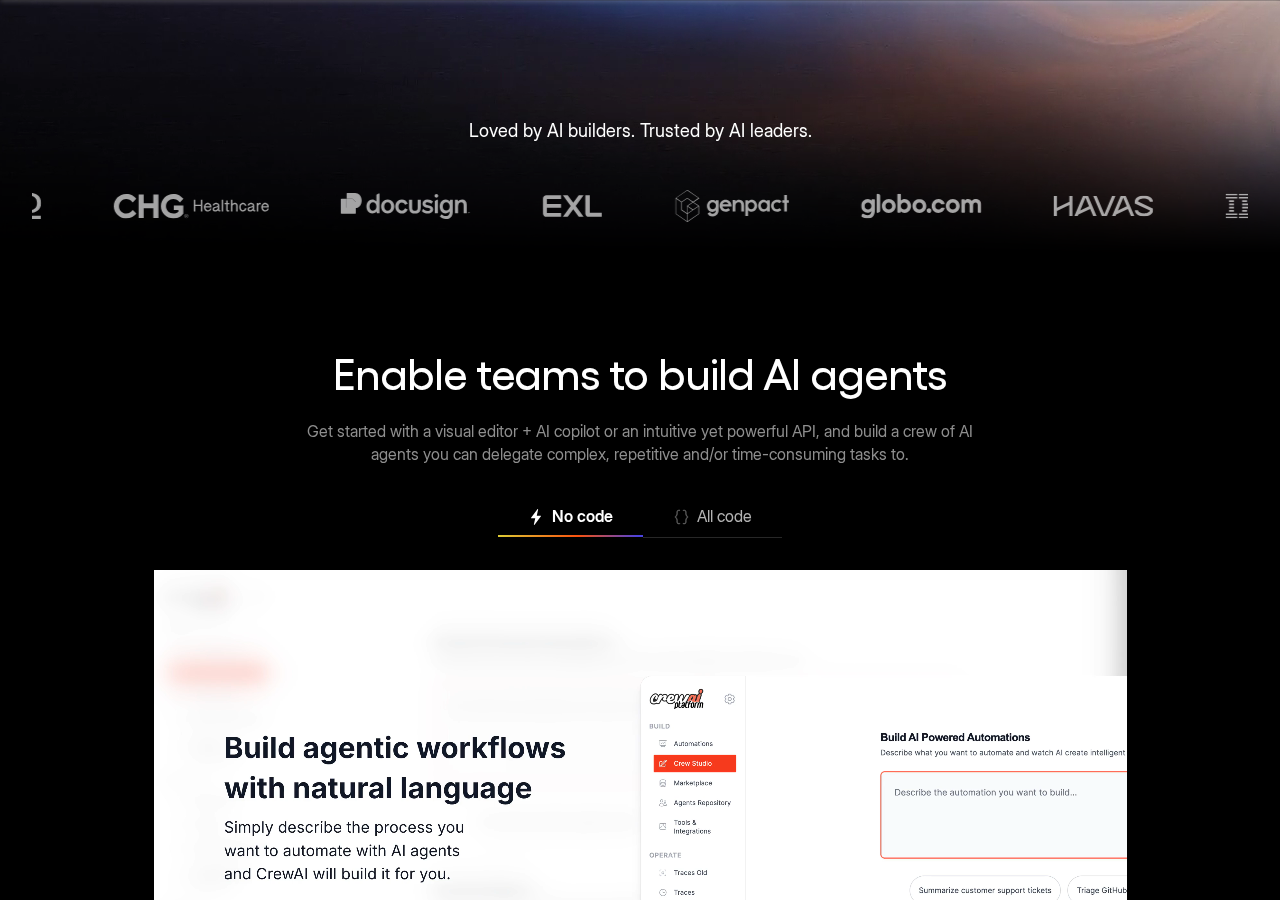
The visual editor is surprisingly good. You drag agents onto a canvas, connect them with arrows, and fill in role/goal/task fields in a sidebar. It generates valid CrewAI Python code that syncs to GitHub. For non-developers on a team, this is the bridge between "I have an idea for an automation" and "I need an engineer to build it."
The tracing dashboard shows every agent's thought process, tool calls, and outputs in a timeline view. When a crew fails (and it will fail — these are LLMs, after all), you can pinpoint exactly which agent went wrong and at what step.
Model Agnostic and Tool Integration
CrewAI works with any LLM provider that has an API: OpenAI, Anthropic, Google Gemini, Azure, AWS Bedrock, Together AI, and local models via Ollama or LM Studio. You can mix models — researcher uses GPT-4o for depth, editor uses Claude for prose quality, SEO reviewer uses a cheap Gemini Flash to keep costs down. Each agent gets its own LLM configuration.
Built-in tools include web search (Serper, Brave, Google), web scraping, code execution, file operations, and database queries. Agents can also use LangChain tools if you need something from that ecosystem, but it is optional.
Human-in-the-Loop
Tasks can be configured to require human approval before proceeding. An agent drafts a report, the system pauses, and a human reviews it in the CrewAI dashboard before the next agent starts. This is essential for production workflows where fully autonomous output is not acceptable — legal documents, client deliverables, compliance reports.
The approval interface works through the AMP dashboard or programmatically via the Python API. You set human_input=True on a task and the crew waits until it gets a signal to continue.
Real-World Use Cases
Lead Research and Enrichment (Gelato)
Gelato, a print-on-demand platform, uses CrewAI agents to enrich inbound leads. One agent pulls company data from internal CRM, another scrapes the company website for printer infrastructure details, a third estimates revenue from public sources. The result: 3,000+ leads enriched per month with better prioritization than their old manual process. This is the kind of grunt work that burns out sales ops teams — and AI agents do not get bored.
Curriculum Generation (General Assembly)
General Assembly replaced a multi-week curriculum design process with a crew of agents. One agent generates lesson outlines from topic descriptions, another writes instructor guides, a third produces student handouts with exercises. Development time dropped 90%. The output is reviewed by human instructors before delivery, but the first-draft phase is fully automated.
Federal Eligibility Processing (IBM)
IBM integrated CrewAI with WatsonX.AI to coordinate legacy government systems with modern APIs. A crew of agents pulls applicant data from multiple federal databases, checks eligibility rules, flags exceptions for human review, and generates determination letters. The project reduced manual coordination across systems — a common pain point in government IT that typically requires months of integration work.
Pros & Cons
Pros:
- Ridiculously simple API. Three core concepts (Agent, Task, Crew) plus Flows for advanced cases. You can build a working multi-agent system in under 50 lines of Python.
- No LangChain dependency. CrewAI was rewritten from scratch to remove all LangChain code. Faster startup, fewer abstractions, easier debugging.
- Model-agnostic. Mix GPT-4o, Claude, Gemini, and local models in the same crew. No vendor lock-in.
- Real enterprise adoption. DocuSign, PwC, IBM, and General Assembly are not just logos on a landing page — they have published case studies with specific metrics.
- Visual editor that generates real code. The AMP drag-and-drop interface outputs valid Python you can version-control in GitHub. Most "no-code" AI tools produce black-box configs; CrewAI produces actual source code.
- Active community. 25K+ GitHub stars, 100K+ certified developers through learn.crewai.com, a busy Discourse forum, and official AI coding agent skills for Claude Code, Cursor, and Windsurf.
Cons:
- Python-only. If your stack is Node.js or Go, you are running CrewAI as a sidecar or microservice. No official SDKs for other languages yet.
- Enterprise pricing is opaque. The free tier is clear (50 executions/month, $0.50/additional), but Enterprise pricing requires a sales call. For small teams that need SSO and more than 50 executions, this is frustrating.
- Debugging agent failures is still hard. The tracing dashboard helps, but when an agent hallucinates or goes off-script mid-crew, diagnosing root cause often means reading raw LLM output. Better error categorization and suggested fixes would help.
- Executions are expensive at scale. $0.50 per execution sounds cheap until you realize each execution can involve multiple LLM calls. A crew with 3 agents making 5 calls each is $0.50 for the execution plus your LLM API costs. For high-volume use, this adds up fast.
- Flows are newer and less battle-tested. While Crews have years of production use, Flows (event-driven orchestration) launched more recently. The API is solid but community examples are sparse compared to Crews.
- Limited built-in tools. The built-in tool library is small compared to LangChain's 500+ integrations. You will likely write custom tools for anything beyond basic web search and scraping.
Pricing Breakdown
Free Tier
| What you get | Details | |---|---| | Visual editor | Drag-and-drop agent builder | | GitHub integration | Sync agent configs to your repo | | Executions | 50 per month | | Overage | $0.50 per additional execution | | Standard tools | Web search, scraping, code execution | | Community support | Forum + docs |
The free tier is genuinely useful for prototyping. 50 executions is enough to build and test a few crews before deciding if it is worth paying.
Enterprise (Custom Pricing)
| What you get | Details | |---|---| | Everything in Free | Plus enterprise features | | Executions | Up to 30,000 free per month | | Infrastructure | CrewAI cloud or your own (AWS, Azure, GCP, on-prem) | | SSO | Microsoft Entra, Okta | | RBAC | Role-based access control | | Compliance | SOC2, FedRAMP, dedicated VPC | | Support | Dedicated Slack/Teams channel, on-site training | | Development | 50 hours of engineering support per month |
Enterprise pricing is not public. Based on comparable platforms (LangSmith Enterprise, Dataiku), expect $50K-$150K/year depending on scale and support needs.
Hidden Costs
- LLM API costs are separate. CrewAI charges for execution orchestration; your LLM provider (OpenAI, Anthropic, etc.) charges for tokens. A crew that calls GPT-4o 20 times per execution could cost $0.10-$0.50 in API fees on top of the $0.50 execution fee.
- Enterprise onboarding is not instant. The 50 hours of development support means their engineers help you build your first workflows, but complex integrations will exceed that and cost extra.
- On-prem deployment requires infra expertise. If you choose self-hosted AMP Factory, you need your own Kubernetes cluster and someone who knows how to run it.
Who Should Use CrewAI in 2026
Buy it if:
- You are a Python developer who wants to automate multi-step research, content, or data processing workflows
- Your team spends hours on repetitive tasks that require multiple LLM calls with different prompts
- You need enterprise governance (SSO, audit trails, RBAC) for AI agent deployments
- You have tried LangChain and found it over-engineered for what you actually need
- You want to prototype agent workflows visually before committing to code
Skip it if:
- You do not know Python and do not plan to learn — the visual editor helps but has limits
- You need a single LLM call, not multi-agent orchestration — use the OpenAI API directly
- Your stack is entirely Node.js and you cannot add a Python service
- You need 1,000+ executions per day on a tight budget — the per-execution pricing model gets expensive
- You are experimenting casually — the free tier's 50 executions are tight for serious testing
FAQ
Is CrewAI open-source or do I have to pay?
Both. The Python framework (pip install crewai) is MIT-licensed and completely free. The cloud platform at app.crewai.com has a free tier (50 executions/month) and paid enterprise plans. You can use the open-source framework in production without ever touching the cloud platform.
Can I run CrewAI entirely on my own servers?
Yes. Install the open-source package, point agents at your preferred LLM API (or local models via Ollama), and run everything locally. No CrewAI cloud account needed. Enterprise customers who need SSO and centralized management can deploy AMP Factory on their own infrastructure.
How does CrewAI handle agent memory and context?
Agents support short-term memory (within a crew execution), long-term memory (across executions via vector storage), and entity memory (structured data about entities the crew encounters). Memory is configurable per agent and can use local storage or external vector databases.
What happens when an agent fails mid-execution?
By default, the crew continues with whatever partial output the agent produced. You can configure tasks to retry on failure, require human approval before proceeding, or halt the entire crew. The tracing dashboard logs every step so you can debug failures after the fact.
Does CrewAI work with non-OpenAI models equally well?
Yes, with a caveat. Anthropic Claude and Google Gemini work well because they support structured output and function calling well. Local models via Ollama work for simpler tasks but struggle with complex multi-step reasoning. The framework itself is model-agnostic; quality depends on the underlying model.
Can I sell automations built with CrewAI?
Yes. The MIT license permits commercial use, resale, and modification. Several agencies build client-specific CrewAI workflows and charge for them. The enterprise AMP platform has its own commercial terms, but the open-source framework has no restrictions.
Final Verdict
CrewAI is the most practical multi-agent framework in 2026 for one reason: it does not try to be everything. LangChain tries to be a universal LLM toolkit and ends up feeling like a part-time job to learn. AutoGen has interesting ideas but feels like a research project. CrewAI picks a lane — role-based agent orchestration — and executes it cleanly.
The open-source framework is genuinely free and production-ready. The enterprise platform has real customers with published metrics, not just landing page logos. The visual editor generates real code instead of proprietary config files. These are not revolutionary features, but they are done with unusual competence.
The main weakness is scale cost. At $0.50 per execution plus your own LLM API fees, high-volume use (1,000+ executions/day) gets expensive relative to running raw agent code on your own infrastructure. For those cases, use the open-source framework directly and skip the cloud platform.
For teams that need multi-agent workflows and want to avoid LangChain's complexity tax, CrewAI is the right choice. It is not perfect, but it is the best option available today.
Rating: 4.5/5
